
Tuni: AI Music Video Maker
AI Video Generator - AI Hug & Kiss Video MakerMusic & Audio
4.618.00 Reviews
- Version
- 1.2.9
- Installs
- 10.00K
- Age Rating
- Everyone
Screenshots
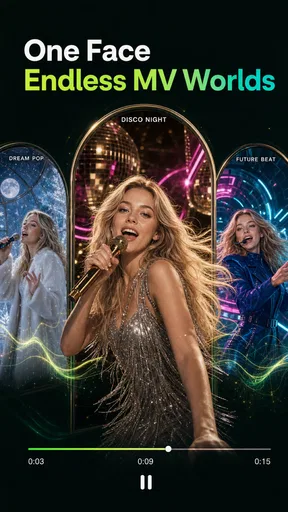
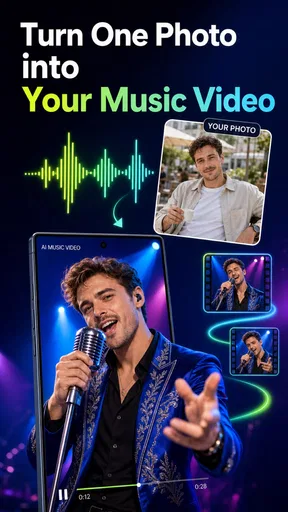
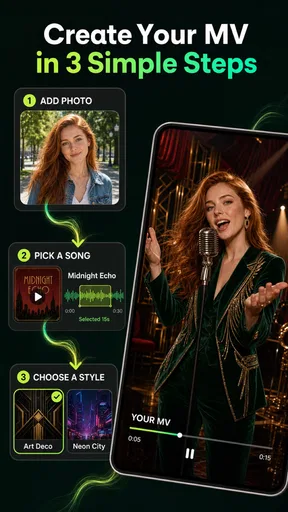
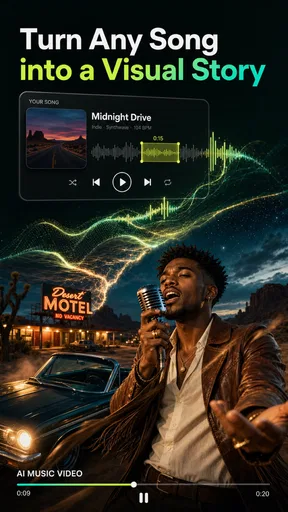
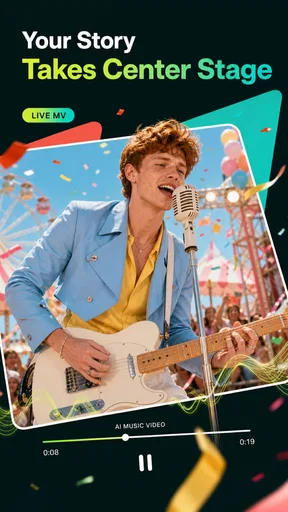
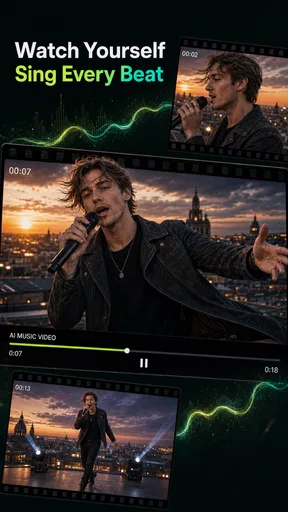

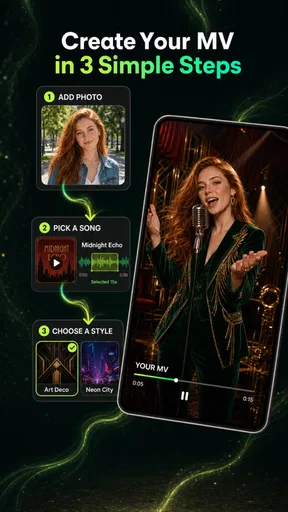
Our Review of Tuni: AI Music Video Maker
 Analysis by Appyee
I approached Tuni: AI Music Video Maker as a creative music and audio app rather than a conventional video editor. Its central idea is appealing: help me create AI songs and then turn music into visual clips built around characters, scenes, and styles. That makes it interesting for anyone who wants to experiment with a complete audio-visual concept without starting with a blank timeline.
My first impression is that Tuni is aimed at fast creative exploration. I can imagine opening it with only a rough idea—perhaps a short lyric, a mood, or a visual theme—and using that starting point to shape something shareable. It is not trying to replace every tool used by musicians, editors, and filmmakers. Instead, its value comes from bringing song creation and music-driven visuals into one approachable place.
How Tuni turns a musical idea into a visual project
The app sits in the Music & Audio category, but its appeal reaches into short-form video creation as well. The important distinction is that the music is not treated as an isolated file. Tuni connects the song with characters, scenes, and visual styles, so the result can feel more like a small concept piece than a simple audio track with a static image.
That combined workflow is useful when the visual identity matters as much as the sound. A playful song can be paired with an equally playful setting, while a darker or more dramatic idea can be given a different visual treatment. I found this kind of connection more interesting than using a standard music player or a basic video editor where I would need to find the soundtrack first and build the visuals separately.
The developer is listed as AI Video Generator - AI Hug & Kiss Video Maker, while the app itself is presented as Tuni. That naming combination suggests a broader AI creation focus, but I would judge Tuni on the experience it offers directly: making songs and transforming them into videos with creative visual ingredients.
One practical strength is the low barrier to experimentation. A traditional music production setup can make a beginner think about instruments, recording, mixing, file formats, and editing before they have even tested an idea. Tuni is more attractive when the goal is to see what a concept might look and sound like quickly.
What the free starting point means in practice
Tuni is free to install, which makes it easy to test before deciding whether it belongs in a regular creative workflow. The app is marked for Everyone, so its presentation is intended for a broad audience rather than a narrowly defined professional group. That does not mean every generated result will suit every age or purpose, but it does make the app approachable for casual creators, families exploring AI tools, and people who simply want to try music-video generation.
There are in-app purchases ranging from $4.99 to $59.99 per item. I would treat the free access as an opportunity to evaluate the creative process, not as proof that every useful output will remain free. The purchase range is wide enough that the value question depends heavily on how often I use the app and what I need from it. Someone making one novelty clip may see paid options differently from someone developing a collection of songs and videos.
The most sensible approach is to begin with a small personal project. I would test whether the app’s song creation feels natural, whether the visual combinations match my ideas, and whether the finished result is useful outside the app. Only after answering those questions would I consider spending money. This is especially important with creative applications, because a large feature set is not automatically valuable if the style or workflow does not fit the user.
The current version is 1.2.9 and the minimum operating system is iOS 11 or later. That gives the app a broad compatibility range among supported Apple devices, although the quality of an AI creation experience can still depend on the device itself and the complexity of the project. I would keep expectations realistic on older hardware and allow extra time when working on a more ambitious visual idea.
A realistic everyday use case
Imagine I want to make a birthday greeting for a friend but do not want to send another plain message or slideshow. I could start with a light song concept, shape it around the person’s personality, and then choose characters and scenes that support the joke or sentiment. The finished clip would be more personal than a generic music track, while requiring less manual editing than assembling images, recording audio, and synchronizing everything myself.
Another useful scenario is brainstorming content for a social account. Before spending an evening filming or editing, I could use Tuni to test whether a musical theme has enough personality to carry a short video. If the concept feels weak even in a quick AI-generated version, I have saved time. If it works, the result can act as a visual sketch for a more polished production made elsewhere.
That second use is one of the app’s less obvious strengths. I would not necessarily treat every output as a final professional asset. Instead, I would use Tuni as a concept laboratory: try combinations, notice which moods work, and identify the strongest direction before committing to more demanding production tools.
Where the experience is more useful than a normal editor
A conventional video editor gives me precise control over clips, cuts, transitions, text, and timing. That precision is valuable, but it also means I must supply most of the creative decisions. Tuni is more appealing at the opposite end of the process. When I have an idea but lack footage, musical material, or a clear visual plan, its AI-centered approach can help me move from a vague thought to something concrete.
It also offers a more unified path than combining a music generator with a separate video application. Switching between tools can introduce extra work: exporting audio, finding compatible formats, choosing visuals, and synchronizing the result. Tuni’s concept is stronger when I want the song and the visual world to develop together rather than treating them as unrelated projects.
That convenience comes with a trade-off. A standard editor is usually the better choice when I already have recorded footage, need exact timing, or want detailed control over every frame. Tuni makes more sense when discovery and speed matter more than manual precision.
Three ways I would get more from the app
First, I would begin with a visual brief instead of a vague request. Before creating anything, I would decide on the intended mood, the type of character that should carry the idea, and the setting that supports the music. This reduces random experimentation and makes it easier to tell whether a result is genuinely useful or merely surprising.
Second, I would separate the testing stage from the sharing stage. I would create several rough directions, compare their emotional tone, and keep the one with the clearest identity. AI-generated creativity can produce an entertaining first result, but the first result is not always the strongest. Treating the app like a sketchbook encourages better choices than immediately accepting the earliest output.
Third, I would design the audio and visuals as one message. If the song is cheerful but the chosen scene feels gloomy, the mismatch may be distracting rather than artistic. The best use of Tuni is not simply adding movement to music; it is making the character, scene, style, and sound reinforce the same idea.
A fourth tip is to use the app for short, purposeful projects rather than trying to build an oversized production immediately. A compact birthday greeting, mood piece, musical joke, or concept teaser gives me a clear target. That makes it easier to judge the app’s value and avoids spending paid resources before I understand how well the workflow suits me.
Limitations I would consider before paying
The biggest limitation is the trade-off between AI convenience and exact control. If I need a specific melody, tightly edited vocal performance, carefully timed scene changes, or a consistent character across a complex narrative, I would prefer dedicated music and video software. Tuni’s strength is helping me generate and explore; it is not automatically the best environment for detailed post-production.
There is also a creative consistency issue inherent in this type of workflow. Characters, scenes, and styles may not always combine exactly as I imagine. That can be part of the fun, but it can also make the app frustrating when I have a precise visual brief. I would use it with an open mind and decide whether unexpected results feel creatively useful rather than assuming the app will reproduce a fixed storyboard perfectly.
The purchase structure deserves attention as well. Since the app is free to install but includes individual purchases from $4.99 to $59.99, occasional users should be careful not to evaluate it only by the most ambitious possibilities. The right question is whether the free experience is enough for casual experimentation and whether any paid option produces a result I would genuinely use. For a one-off novelty, spending at the upper end would be difficult for me to justify without a clear personal purpose.
I would also skip Tuni if my main goal is simply listening to music. A regular music player is more suitable for browsing a library, managing playback, or enjoying familiar recordings. Tuni is built around creation, so its value appears when I want to make something rather than passively consume audio.
Who is most likely to find real value?
Tuni is a good match for curious beginners who want to try AI music creation without assembling a complicated toolkit. It may also suit social-media users who need quick visual concepts, educators looking for a playful way to introduce students to audio-visual storytelling, and hobbyists who enjoy turning unusual ideas into shareable clips.
It is particularly useful for people who think visually but do not have footage ready. Instead of waiting for the perfect recording opportunity, I can start with characters, scenes, and a style that communicate the idea immediately. That makes the app more than a song generator; it becomes a way to test the identity of a piece before investing in production.
More experienced musicians and editors may still find a place for it, but probably as a companion tool. I would use it for mood boards, early concepts, quick demonstrations, or playful experiments, then move to specialized software when I needed professional-level control. That division of labor feels more realistic than expecting one app to handle every stage equally well.
People who should skip it are those who want a traditional recording studio, a precise timeline editor, or guaranteed consistency across a long-form project. They may become frustrated by an AI-first process that emphasizes speed and interpretation over exact manual decisions. The same applies to anyone unwilling to test the free experience before considering the in-app purchase options.
What the current app profile tells me
Tuni has an average rating of 4.6 from around two thousand ratings, with more than ten thousand installs. Those figures suggest that the app has attracted meaningful early interest, but I would still judge it through my own workflow because creative satisfaction is highly personal. A person looking for playful generation may rate it very differently from someone expecting a full professional editor.
Its release date is June 4, 2026, so I would view it as a relatively new app and keep that context in mind when deciding how central it should become in a long-term production process. New creative tools can be exciting precisely because they are evolving, but I would keep important original work backed up outside the app and avoid relying on one experimental workflow for a deadline-sensitive project.
The listed review count is 18, which makes me cautious about drawing broad conclusions from public feedback alone. I would pay more attention to whether the app works for my intended use case: creating a song, matching it with a visual concept, and producing something I would actually send or publish. A high average can be encouraging, but it cannot replace a personal trial when the result depends on taste.
My buy-or-skip verdict
I would recommend trying Tuni if I wanted a quick, approachable way to explore the relationship between AI-generated music and animated visual ideas. Its strongest value is not precise editing; it is reducing the distance between an imaginative thought and a presentable audio-visual concept. For greetings, experiments, short creative pitches, and social content sketches, that can be genuinely useful.
I would keep the spending decision conservative. The free installation makes testing straightforward, while the in-app purchase range means paid value should be judged against a specific project rather than general curiosity. If the app helps me create something I could not easily make with my usual tools, a purchase may be worthwhile. If I only want to play with it once, I would stay with the free experience.
My final view is positive but measured: Tuni is best understood as an AI-powered creative playground with a practical path toward music videos, not as a replacement for a full studio and editing suite. Its real advantage is the combined song-and-visual workflow, especially for users who need inspiration and speed. I would install it for experimentation, use a clear brief to guide the results, and choose another tool when exact control matters more than fast creative discovery.
Verdict
Strengths of Tuni: AI Music Video Maker
- Turns photos and clips into music videos with minimal editing effort.
- AI effects and beat-synced templates help create polished results quickly.
- Useful for social media creators who need short, eye-catching videos.
- Supports creative experimentation without requiring advanced editing skills.
- Makes it easy to preview and share finished videos from one app.
Limitations of Tuni: AI Music Video Maker
- Some advanced effects and templates may require a paid subscription.
- AI results can vary depending on the quality and composition of source media.
- Export options may be limited by resolution, duration, or watermark restrictions.
- Processing complex videos can take time and may use considerable battery.
- The app may request access to photos, videos, audio, and other device permissions.
Other Releases by AI Video Generator - AI Hug & Kiss Video Maker
View All
Drma: AI Short Drama Maker
Art & Design4.5
Similar Picks in This Category
View All
YouTube Music
Google LLC4.4

Samsung Music
Samsung Electronics Co., Ltd.3.8

Spotify: Music and Podcasts
Spotify AB4.3

JioSaavn - Music & Podcasts
Saavn Media Limited4.3

Lark Player:Music Player & MP3
Lark Player Studio - Music, MP3 & Video Player4.6

StarMaker: Sing Karaoke Songs
SKYWORK AI PTE. LTD.4.3
Frequently Asked Questions
What is Tuni: AI Music Video Maker, and what can I create with it?
Tuni: AI Music Video Maker is a mobile editing app designed to help you turn music, photos, videos, and creative ideas into short, stylized music videos. It typically combines automated effects, beat-synced transitions, visual filters, templates, and AI-assisted editing tools, making it possible to produce social-media-ready clips without advanced video-editing experience.
Is Tuni suitable for beginners who have never edited a video before?
Yes, Tuni is aimed largely at casual creators and beginners. Its template-based workflow and automated effects can simplify tasks such as timing images to music, adding transitions, and applying visual styles. However, the exact level of manual control may vary by feature, so users looking for professional timelines, advanced color grading, or detailed audio mixing may find it less comprehensive than a dedicated editing suite.
Can I use my own music, photos, and video clips in Tuni?
The app is generally intended to let users personalize projects with their own media, including images and recorded clips, while selecting music or sound options available inside the application. Before publishing a video, check the app’s current import options and supported file formats. You should also confirm that you own or have permission to use any music, footage, or images included in your project.
Does Tuni: AI Music Video Maker add a watermark or require payment?
Tuni may offer free access to basic editing tools while reserving certain templates, effects, exports, or AI features for in-app purchases or a subscription. Depending on the selected plan and export option, a watermark or other limitations may apply. Because pricing, trial terms, and available features can change, review the current information shown in the app store and inside the app before subscribing.
Is Tuni safe to download and what permissions does it need?
Download Tuni only through the official Google Play Store or Apple App Store to reduce the risk of installing an altered version. The app may request access to photos, videos, a microphone, notifications, or storage so you can import media, record content, and save finished projects. Review each permission request carefully and deny access that is not necessary for the features you plan to use.
